A renewal date is a useful prompt to review your email plan, not a reason to guess what will happen next. Your mailbox assignment, storage needs, available terms and final checkout details can all matter—and the current information should be confirmed before you act. This guide walks through what to verify, where to look and how to keep a clear record of what you chose. It also explains why a previous one-time checkout does not, by itself, establish that future payments are automatic or authorised.
The useful bits
- Confirm the plan and mailbox assignment currently shown for your account or workspace.
- Compare your actual storage needs with the capacity assigned to each mailbox.
- Check live pricing, term totals, taxes and renewal terms at pricing or authenticated checkout.
Start with the plan you actually have
Before comparing renewal options, establish which plan applies to the mailbox or workspace in question. Sign-in and account actions go through https://mail.bittuicloud.com. If you are managing a business workspace, the plan or mailbox information available to you can depend on your role and on how the workspace is provisioned. An administrator may need to confirm details that an ordinary mailbox user cannot see or change.
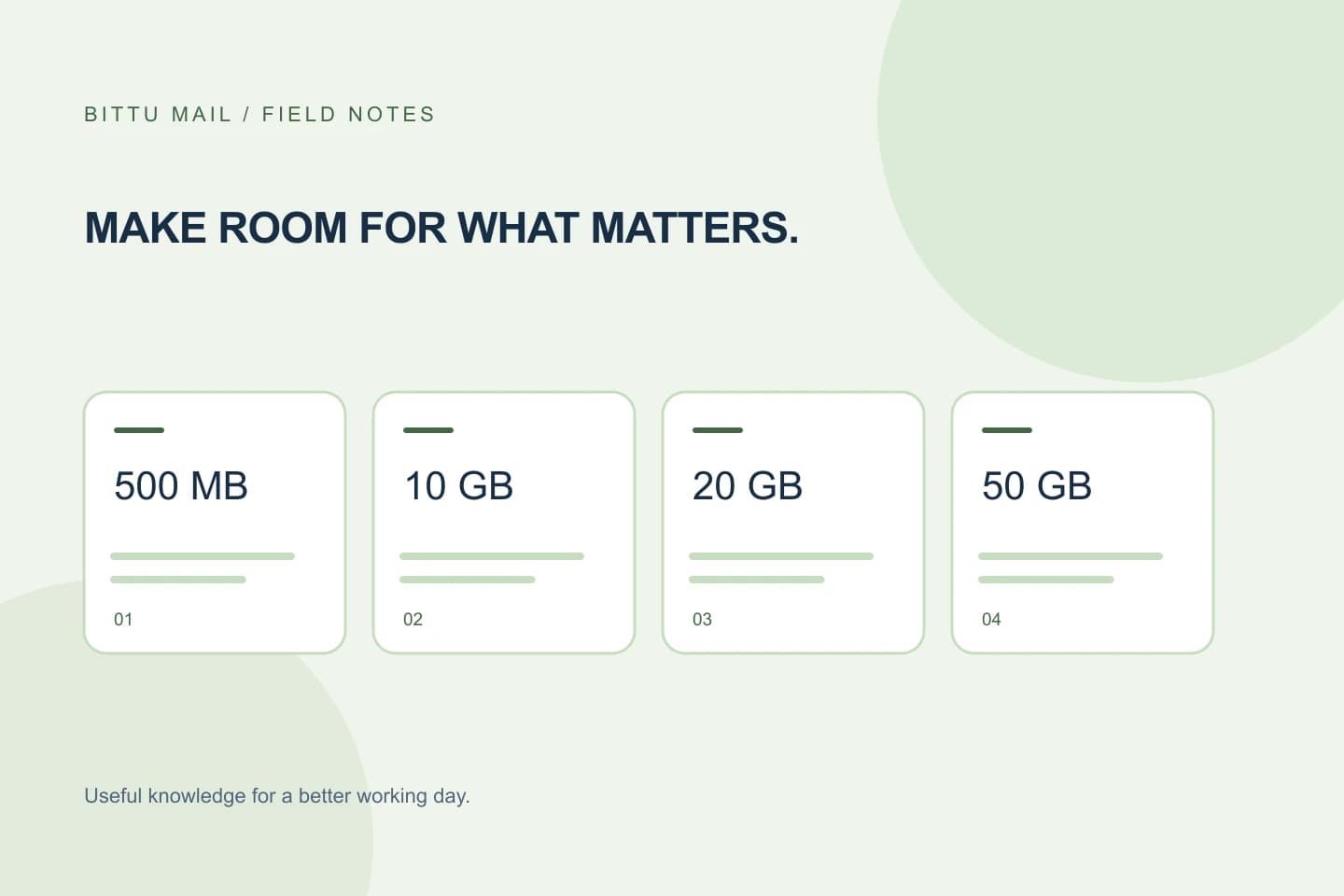
BITTU Mail’s public plan information describes Business Starter, Standard and Premium storage as 10, 20 and 50 GB per mailbox, respectively. Free personal @bittumail.tech mailboxes start with 500 MB. Treat those figures as plan descriptions, not proof of the plan assigned to a particular mailbox. Check the account or workspace information available to you, and ask an authorised workspace administrator if the assignment is unclear.
- Write down the mailbox or workspace you are reviewing.
- Confirm its current plan and who is authorised to make changes.
- Do not assume an alias is a separate mailbox or login.
Estimate storage mailbox by mailbox
A plan’s storage allowance is per mailbox for the business plans listed above. In a shared domain, that means the right question is not only how much storage the team uses overall, but which mailboxes need room. Consider whether a particular mailbox regularly receives large attachments, retains old conversations, or serves as a shared destination. These are practical clues for planning; they are not a substitute for an account-specific usage figure.
Use any storage information actually available in your account or ask an authorised administrator to confirm the mailbox allocation. If you cannot find a reliable usage figure, avoid treating a rough estimate as an exact measurement. Note which mailboxes may need more capacity and confirm whether a proposed plan would change their individual allowance before checkout.
Example: You manage [sales@example.com] and [orders@example.com]. The first mailbox receives many attachment-heavy conversations, while the second mainly handles brief requests. Check each mailbox’s assigned plan and available storage information separately rather than assuming the two need the same capacity.
Read current renewal terms, not an old estimate
Live prices, available terms, upfront term totals, taxes, availability and renewal terms must be checked at https://bittumail.tech/pricing or in authenticated checkout. Do that close to the time you plan to renew. An earlier quote, saved note or amount from a previous purchase may not show the terms currently offered for your account.
Before continuing, identify the plan and term shown, the full amount due upfront, any taxes displayed and the renewal terms presented. If the checkout information differs from your expectation, pause and resolve the difference before confirming. Do not put a numeric price from an old checkout into a renewal budget as though it were a current quote.
Do not infer an automatic payment mandate
A one-time checkout does not, by itself, imply an automatic charge or payment mandate for a later renewal. Do not assume that a previous payment means a future payment will be taken automatically, and do not assume the opposite without checking the current account information and checkout terms.
If you need to know whether a particular renewal requires action, or whether any payment arrangement applies, rely on the terms shown for your account and the current authenticated checkout. If those details are not clear, contact the appropriate BITTU Mail support channel before submitting payment information. Never proceed on the basis of an assumption about billing.
Use a short pre-checkout checklist
A few deliberate checks can prevent a mismatch between the plan you intend to renew and the one shown at checkout. Keep the notes for your own records, but treat the live checkout as the source for current terms.
- Confirm the account, workspace and mailbox or mailboxes under review.
- Verify the current plan and the storage allowance assigned per mailbox.
- Compare storage needs with the capacity shown or confirmed for each mailbox.
- Check current availability, term, upfront total, taxes and renewal terms at pricing or authenticated checkout.
- Read the payment terms; do not infer an automatic charge or mandate from a past one-time checkout.
- After any action, confirm the resulting plan or order information in the authenticated account or checkout record.
Know when to pause
Stop before checkout if you cannot confirm which mailbox or workspace is covered, if your role does not let you verify a business plan, or if the displayed term or total is unexpected. Ask an authorised workspace administrator to confirm business mailbox assignments; account controls depend on role, plan and provisioning state, and permissions are enforced server-side.
Your review is complete when you can identify the plan being renewed, understand the per-mailbox storage implications, and read the current checkout terms and amount for the intended purchase. If any of those pieces remains uncertain, resolve it before confirming rather than relying on a remembered price or an assumed renewal arrangement.
About this guide
Prepared with AI assistance for the BITTU Mail editorial library. Check important details against your original messages and current account settings. Product access depends on your role, plan and provisioning state. Provider interfaces and requirements can change.
View current plans · Security information · Suggest a correction